Keycloak SAML Identity Provider (IdP) Initiated Flow with Okta

IdP Initiated Flow
When implementing SAML for the establishment of an Identity Provider, two primary options are available:
- Service Provider (SP) initiated
- Identity Provider (IdP) initiated
The SP initiated flow is widely recognized by users due to its straightforward configuration, which is merely the exchange of some metadata. In contrast, the IdP-initiated flow is less intuitive and involves an additional step that may not be readily apparent to many users. The purpose of this blog is to elucidate the steps necessary to successfully execute the IdP-initiated flow. We will setup a full example
A fundamental understanding of SAML 2.0 and Keycloak is required to effectively follow the provided instructions.
If you just want to skip to the code, visit the Phase Two IdP-initiated example.
How Each Flow Works
The steps for each are similar, but also differen in important ways.
Service Provider Initiated Flow
From the user's perspective, the SP initiated flow is the most common. The user visits the SP and is redirected to the IdP for authentication. After successful authentication, the IdP sends a SAML assertion back to the SP, which then logs the user in. This looks and feels like, I go to the website, I click Log In button, and the SP sends the browser to the IdP for authentication. The IdP then sends a SAML assertion back to the SP, which logs the user in.
In most cases, this is a more secure method as the request originates with the SP. The IdP is not aware of the SP until the user clicks the login button. This is a more secure method as it prevents replay attacks and other security issues.
Identity Provider Initiated Flow
In this case, the thing to know is that the user is already authenticated in the IdP, and the IdP will send a SAML assertion to the SP. The SP will then use this assertion to log the user in.
Components
The components involved in this example will be as follows:
Identity Provider: Any identity provider (IdP) that supports SAML 2.0 may be selected. The process begins by accessing the Identity Provider dashboard, where the user is prompted to authenticate. Upon successful authentication, the user may then request a service. For this case, we'll use Okta as the IdP.
Keycloak SAML 2.0 Identity Provider: The Keycloak Identity Provider will be used for identity brokering and will process the SAML Response received from the Identity Provider. It is responsible for operations such as provisioning, signature verification, decryption etc.
Keycloak Realm Client: The Keycloak SAML client function is to maintain the authenticated user session within Keycloak. Another function of this generic client is to forward the authenticated user to the Service Provider.
Service Provider: The Service Provider refers to the application that the user seeks to access. Once the user has been authenticated in Keycloak, a new SAML Response is generated by the realm client and subsequently consumed by the Service Provider.
Setting up a Keycloak Instance
The quickest way to get a fully-functional deployment of Keycloak is a Phase Two Starter cluster, which includes a 30-day free trial.
Instructions
If you already have a functioning Keycloak instance, you can skip to the next section.
Rather than trying to set up a "from scratch" instance of Keycloak, we're going to short-circuit that process by leveraging a free Phase Two Starter instance. The Starter provides a free hosted instance of Phase Two's enhanced Keycloak ready for light production use cases.
-
Visit the sign-up page.
-
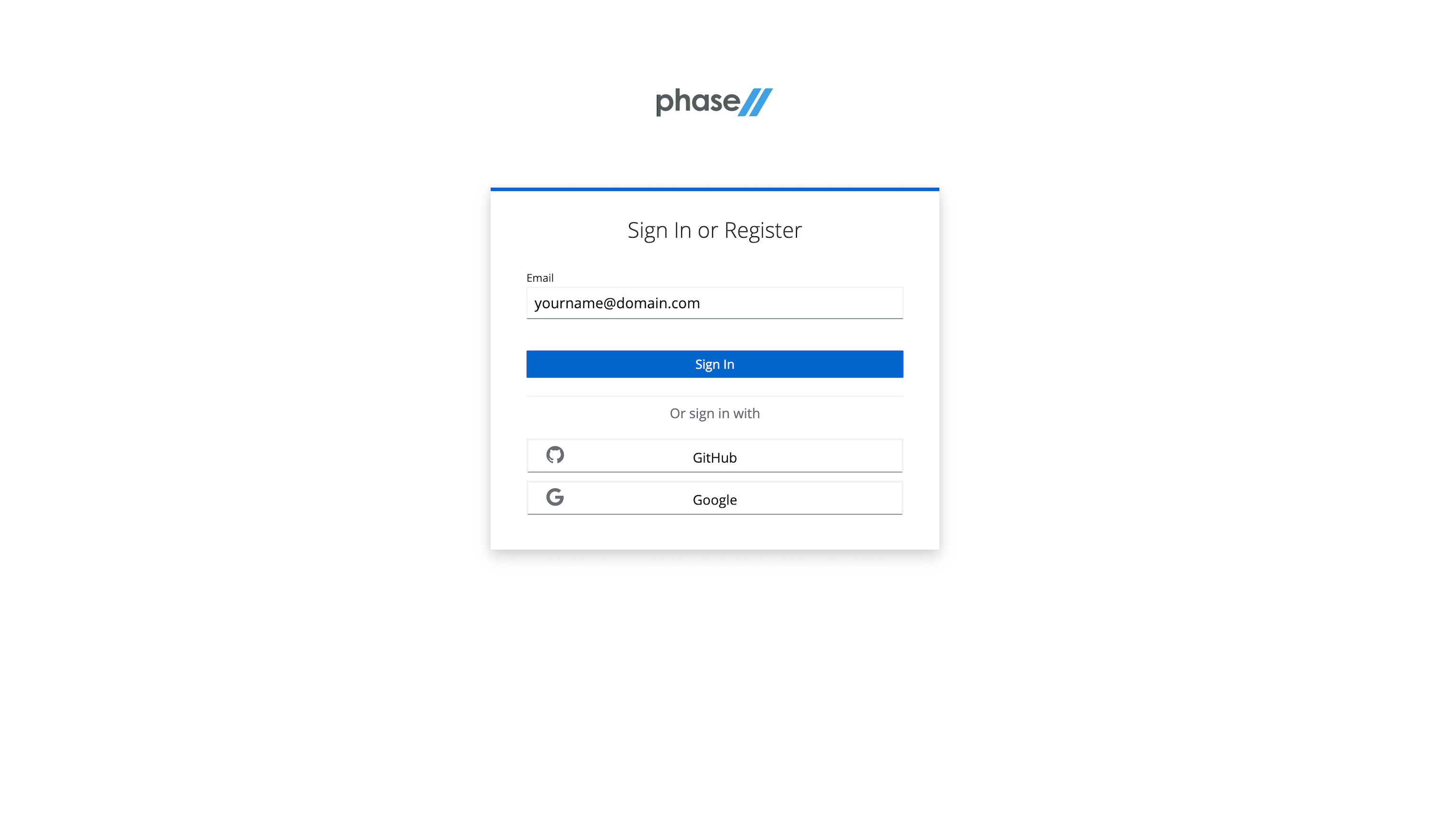
Enter an email, use a Github account, or use an existing Google account to register.
-
Follow the register steps. This will include a sign-in link being sent to your email. Use that for password-less login.

-
After creating an account, a realm is automatically created for you with all of the Phase Two enhancements. You need to create a Deployment in the Shared Phase Two infrastructure in order to gain access to the realm. Without a deployment created, the Create Shared Deployment modal will automatically pop up.
-
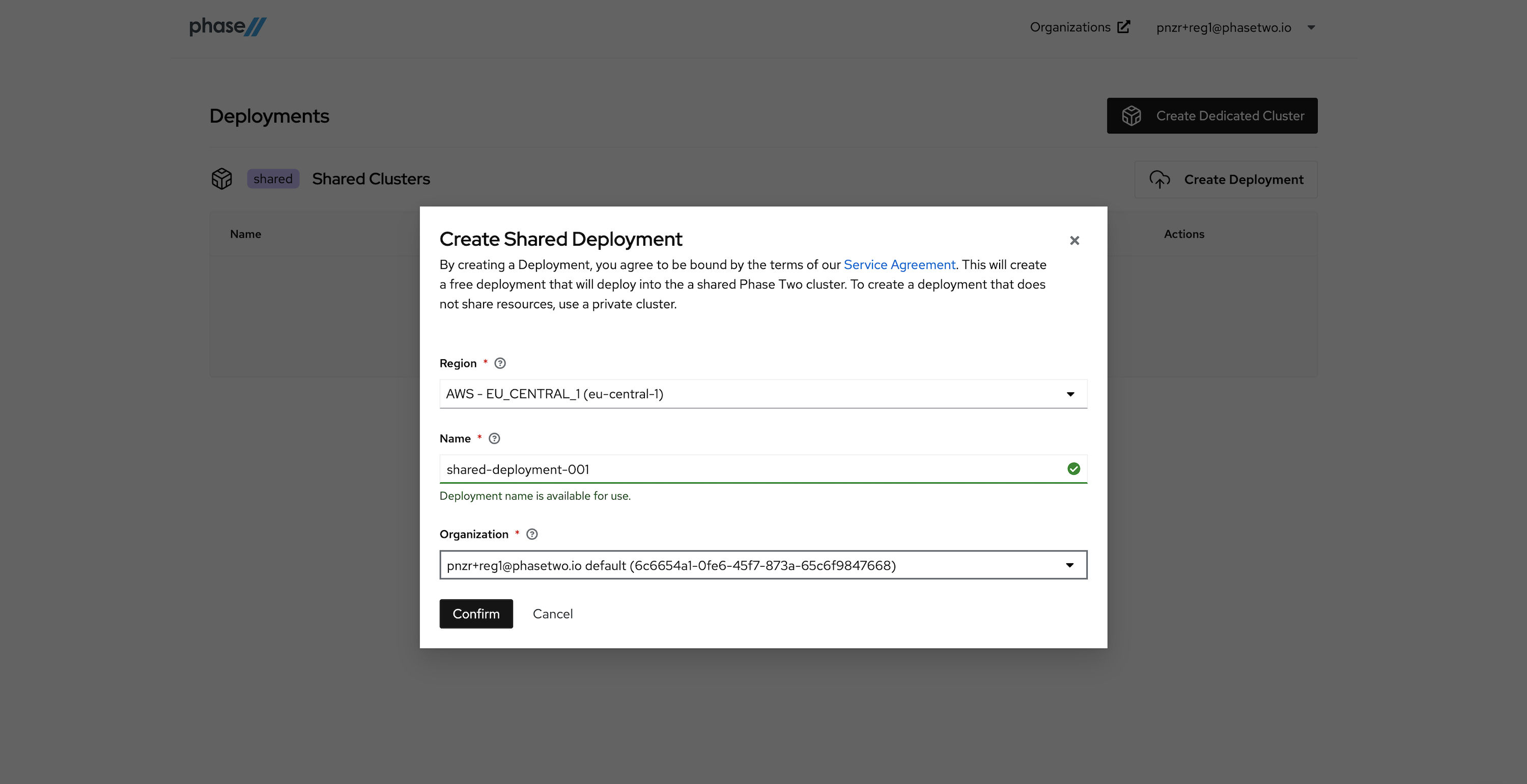
Create a Shared Deployment by providing a region (pick something close to your existing infrastructure), a name for the deployment, and selecting the default organization that was created for you upon account creation. Hit "Confirm" when ready. Standby while our robots get to work generating your deployment. This can take a few seconds.
-
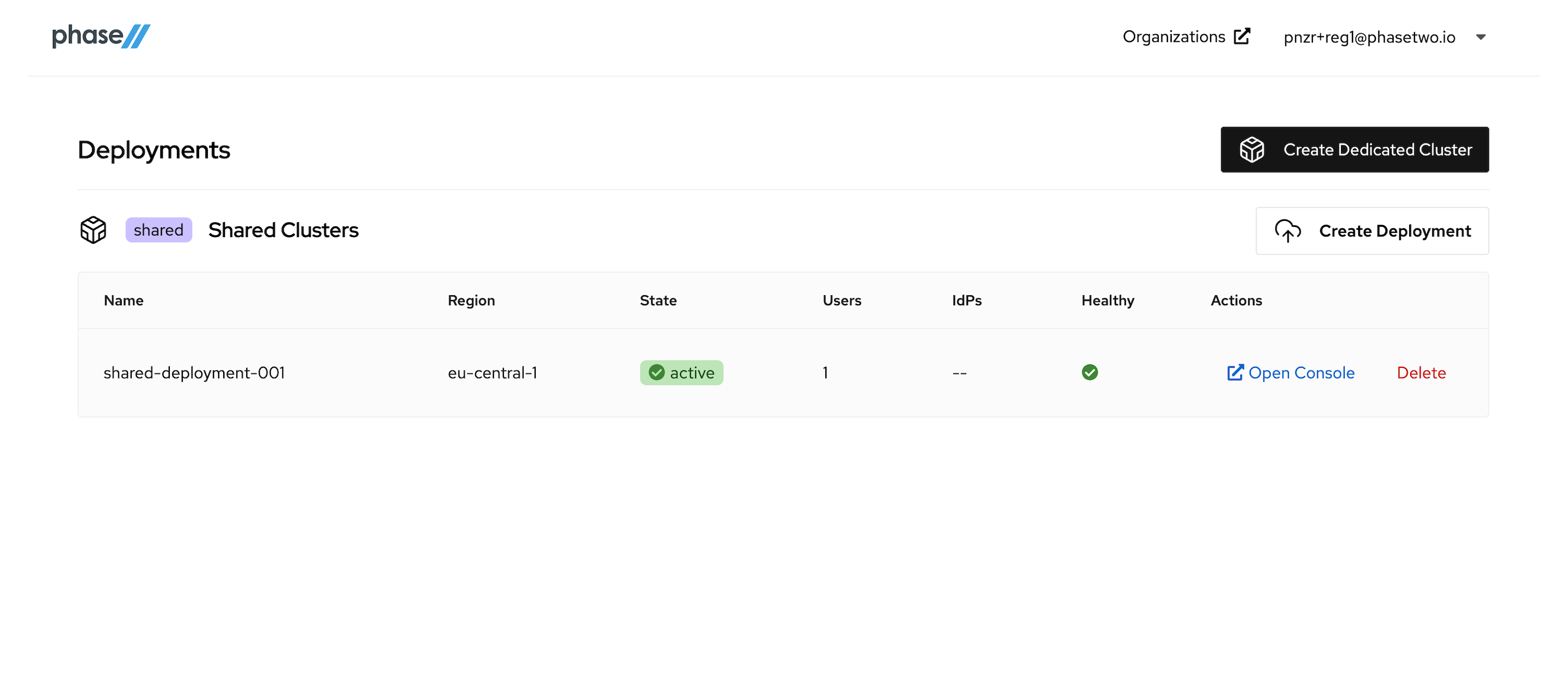
After the deployment is created and active, you can access the Keycloak Admin console by clicking "Open Console" for that deployment. Open it now to see the console.
At this point, move on to the next step in the tutorial. We'll be coming back to the Admin Console when its time to start connecting our App to the Keycloak instance.
IdP Initiated Example Setup
To communicate this concept, this example will utilize
- Okta as the Identity Provider (IdP)
- Keycloak as the Identity Provider (IdP) broker
- Keycloak as the SAML client
- A simple Spring Boot application as the Service Provider (SP)
Okta:
Login in your Okta tenant and configure a new application.
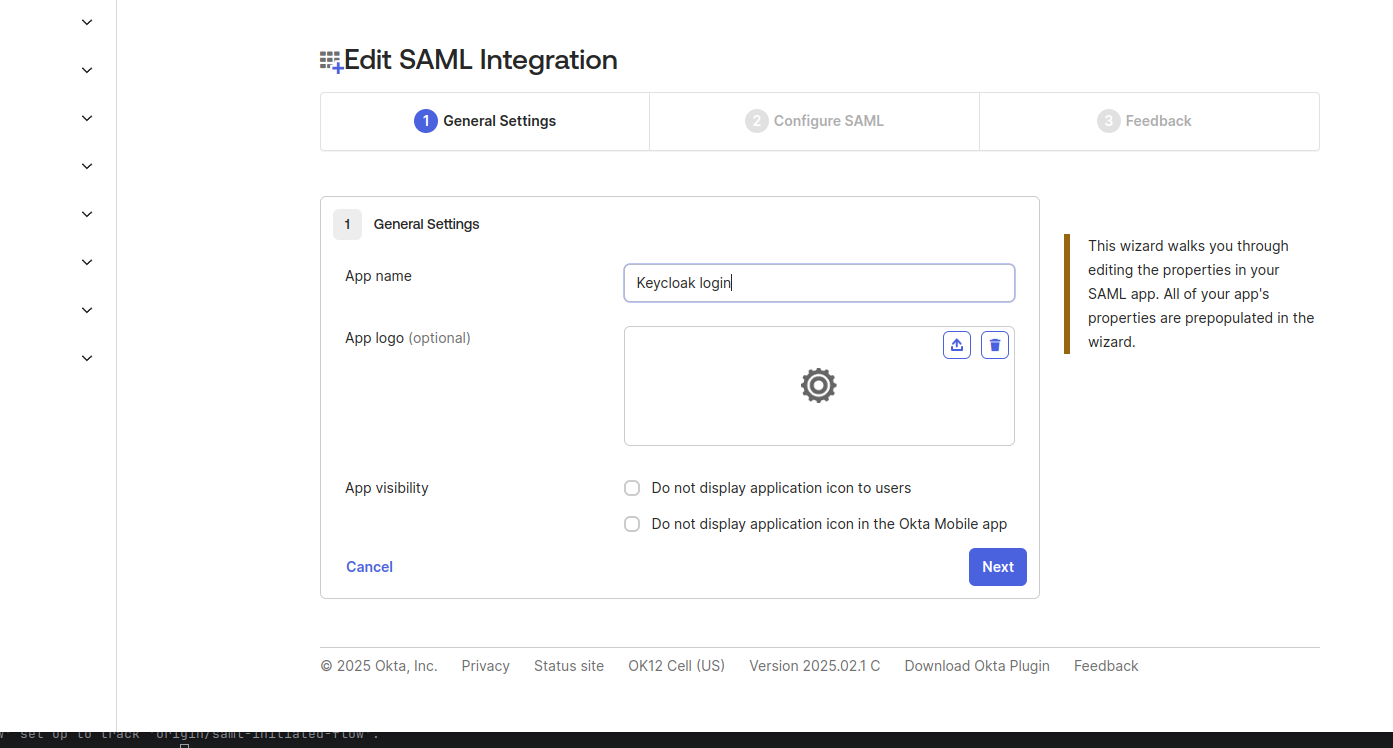
You will need to specify two things:
Single sign-on URL: http://localhost:8080/realms/test-realm/broker/okta-broker/endpoint/clients/okta-client
Audience URI: http://localhost:8080/realms/test-realm
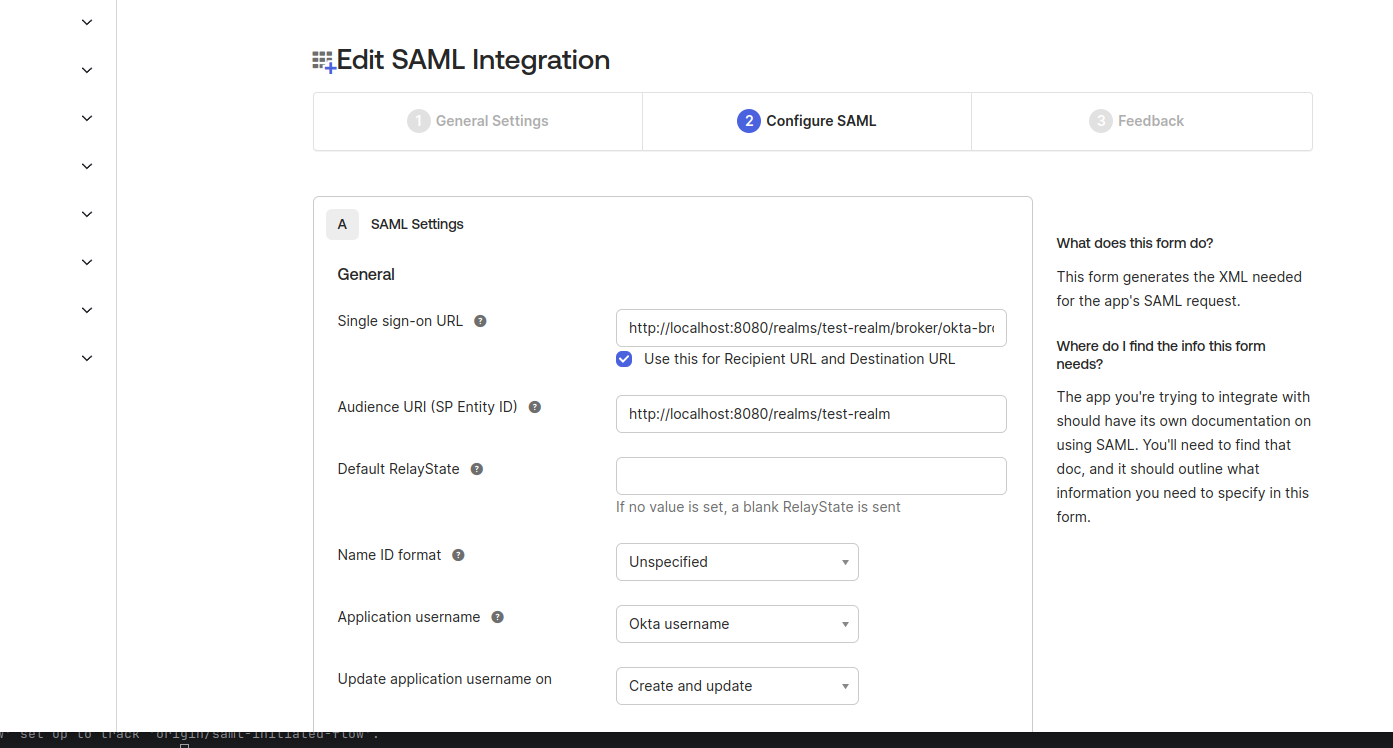
The identity provider redirect url differs from what we typically observe in Identity Provider from the Keycloak console. Based on the documentation for IdP Initiated Login, the path {brokerRedirectUrl}/clients/okta-client indicates the client-id that is intended to maintain the service-provider application session. This will make more sense in the following steps.
SAML 2.0 Identity Provider
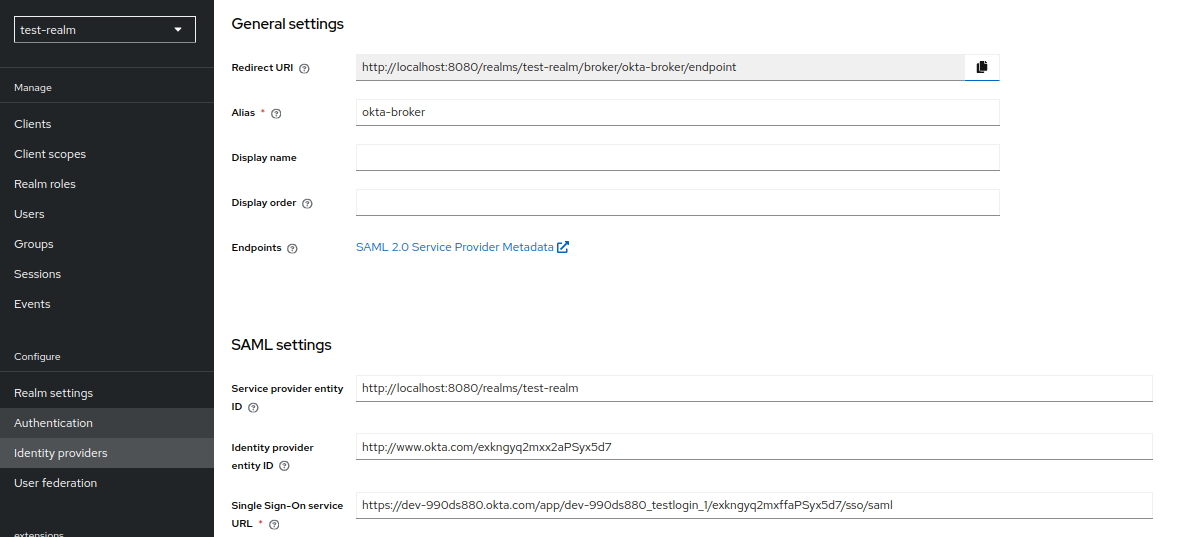
The SAML identity provider (e.g: okta-broker) from the example above can be created by importing the metadata.xml from the application you just created in Okta. For this example we will provide the alias: okta-broker.
To do this navigate to Identity providers > SAML v2.0. On this page, add the alias of your app (in our case it is okta-broker). Untoggle the "Use entity descriptor" option and select the metadata.xml file you downloaded from Okta. This will validate and auto-populate the correct areas.
Service Provider Application
We created a simple SpringBoot app which has a ACS endpoint: /login/saml2/sso and a entityId: /saml2/metadata . Find the code for the example application. Download and have this running on your local machine.
Keycloak Realm Client
We need to create new SAML 2.0 Client in test-realm. This varies from the Identity Provider we just created. This can be done by importing the metadata from the Service Provider application. To get to the right place, go to Clients > Import Client and upload the resource file. To check if the data was successfully imported, check the Assertion Consumer Service POST Binding URL, it should contain the endpoint mentioned above.
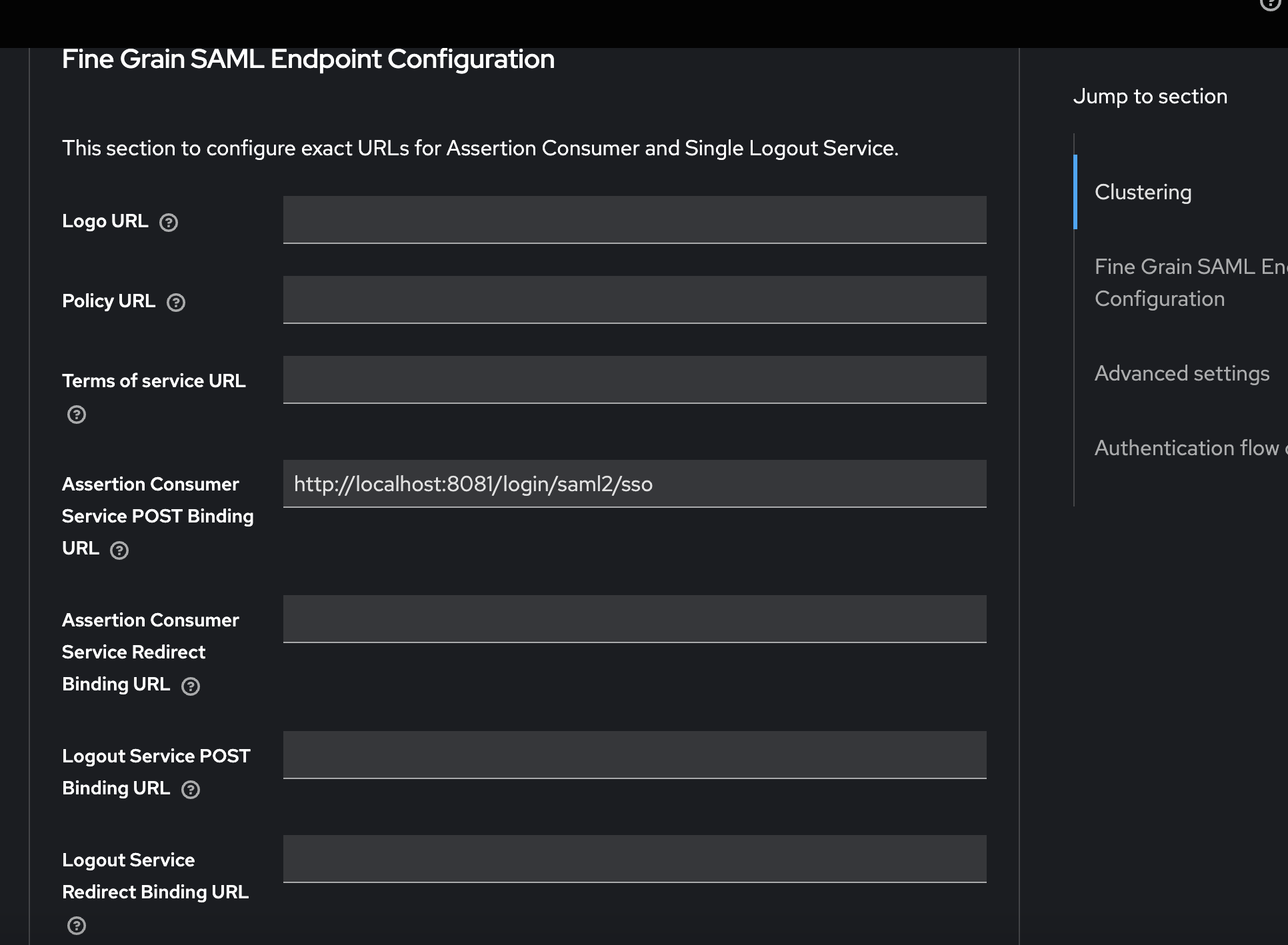
Now we need to return to the documentation: IdP Initiated Login. In order to configure the IdP-initiated flow, a special field needs to be specified IdP-Initiated SSO URL.
IdP-Initiated SSO URLvalue ofokta-client
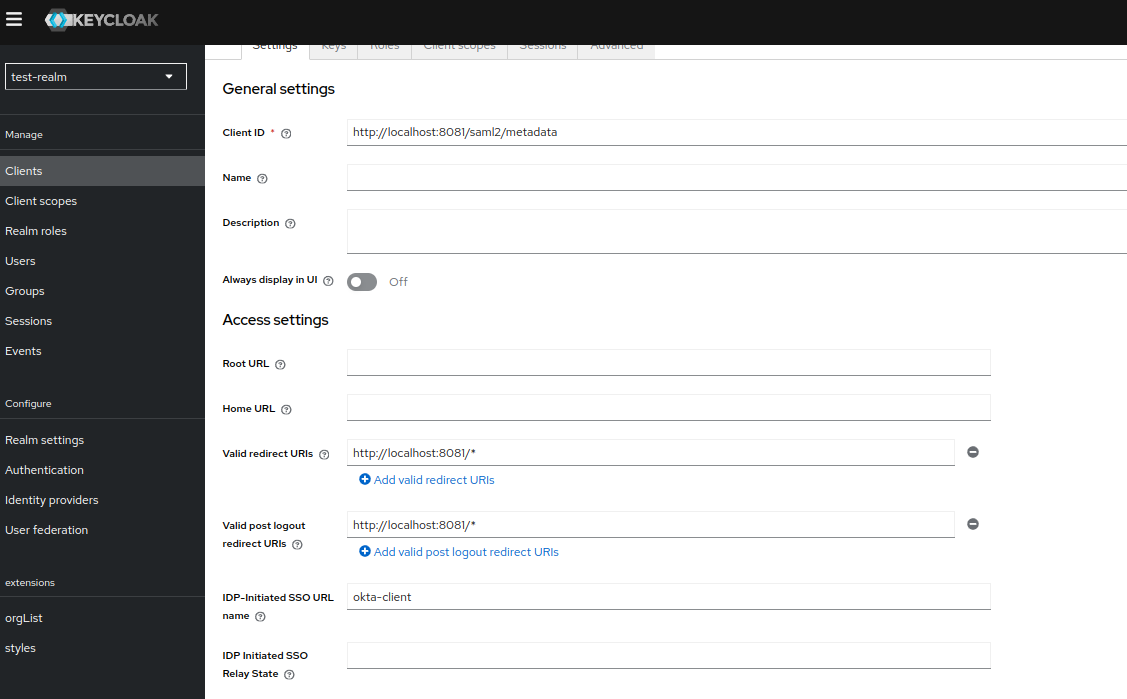
The field is part of the {brokerRedirectUrl}/clients/okta-client url. As we can see the value is different from that of the clientId of the client we just created.
Testing
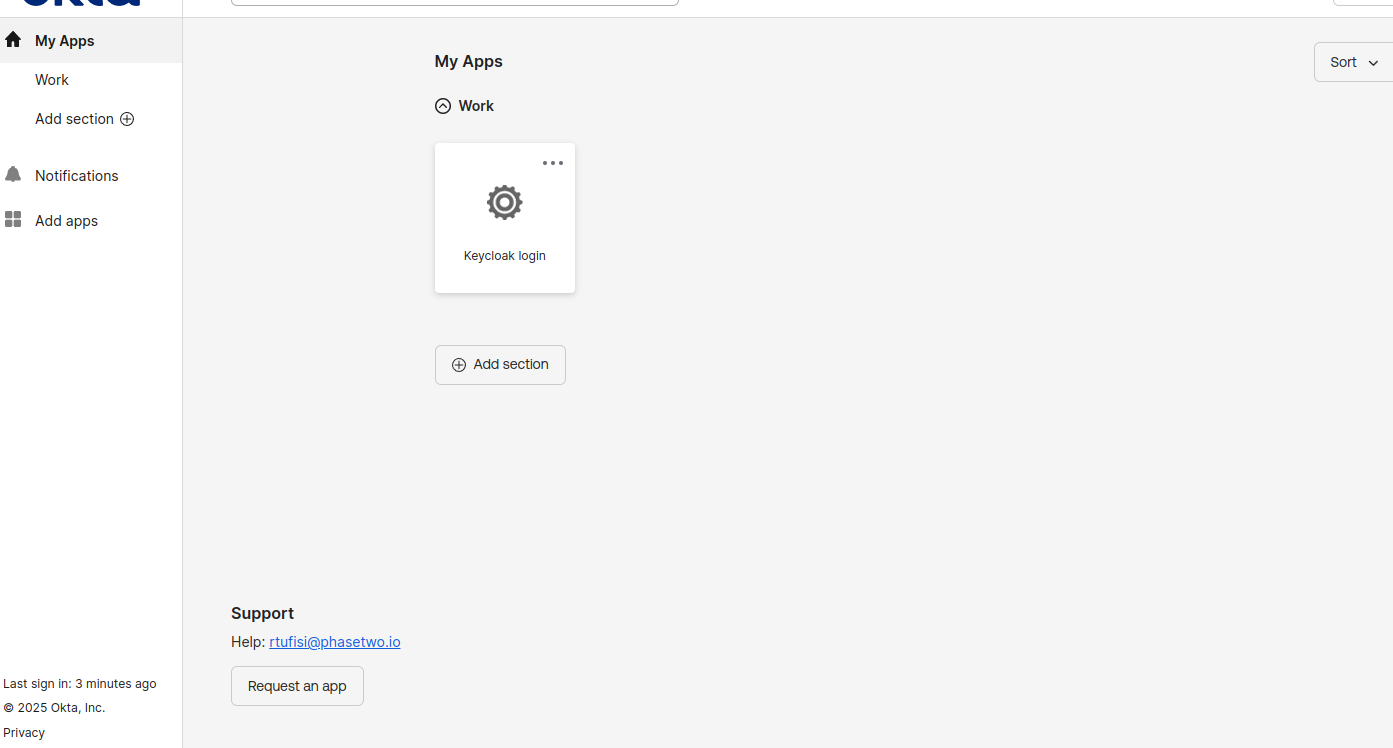
To test this, please visit the Okta end user dashboard and select the application we created in the first step. This is the "tile" setup people are used to accessing an application.
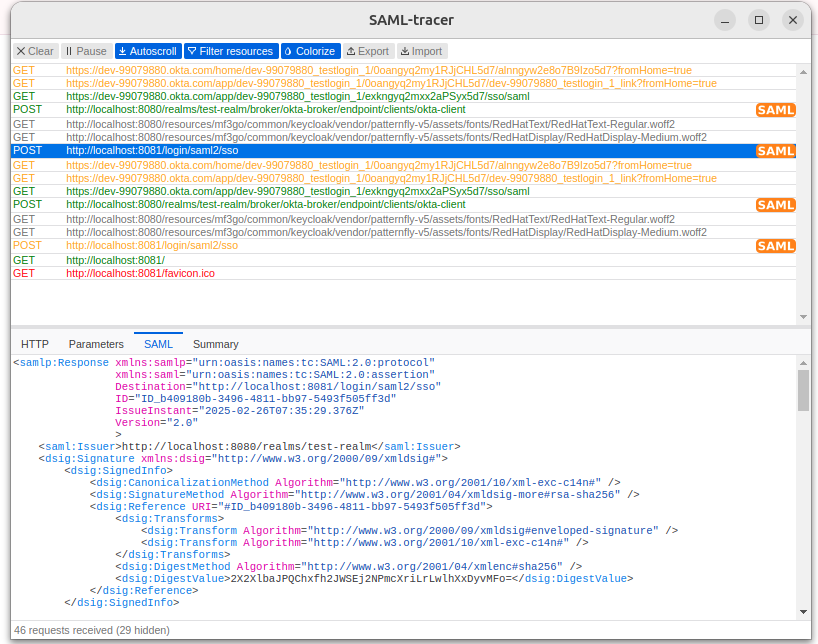
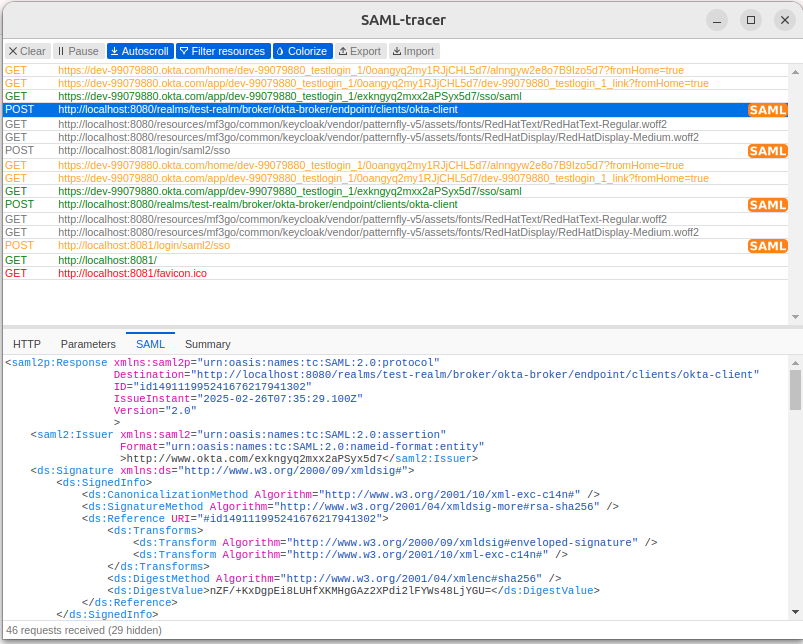
For debugging purposes, you might consider using the SAML Tracer browser extension. If you take a moment to check the requests from the flow, you'll notice that it contains only SAMLResponse messages. This is a specific characteristic of the IdP-initiated flow.
What Just Happened?
We have successfully secured a web application using the SAML protocol and IdP-initiated flow with Okta. Great work!
It is important to consider that the IdP-initiated flow does present certain security concerns, such as the potential for replay attacks, spoofing, or data tampering. To ensure we uphold security, it is essential that we take all necessary precautions, including implementing assertion encryption to protect sensitive data, utilizing signing to mitigate the risk of data tampering, and proper configuration for issuer validation.
However, it is worth noting that there is still a risk that a SAML assertion could be compromised, allowing an attacker to gain access to the service provider as the affected user. While the service provider can recognize and validate the assertion because it was issued by the expected issuer and signed with the correct key, it cannot confirm whether a malicious party was involved in sending it. Given these concerns about the IdP-initiated flow and its vulnerability to certain security threats, there may be circumstances in which we find it necessary to implement it based on our specific context.
IdP-Initiated Flow Redirects to a OIDC Application
In the example above we configured the IdP-initiated flow to act as a identity broker and redirect to a client application which consumes SAML. Another interesting use case involves redirecting a user authenticated in the Keycloak realm to an OIDC client application.
Although this setup may not function seamlessly out of the box, an illustrative example can be found here: IdP Initiated Login with Keycloak.
We will also attempt to create a local setup for this use case. To do this we will follow the exact same steps from the section above, until we reach the step Service Provider Application. From there we will deviate.
Service Provider Application
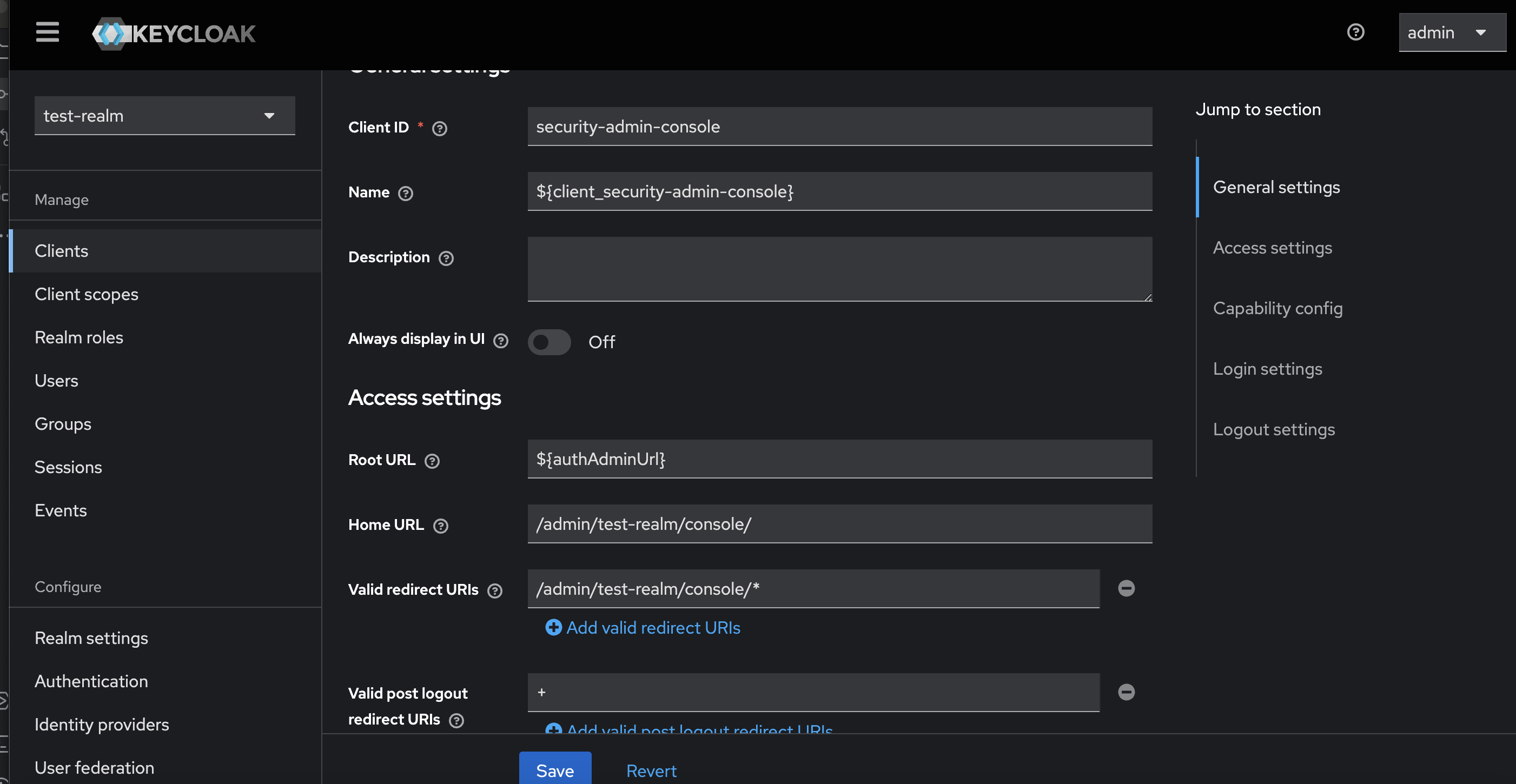
In this case the service provider application will 'talk' OIDC. As a simple example we can use the realm security-admin-console as the final client since it uses OIDC. A important thing to keep in mind is that for the client we will need to set a Home URL. In our case is the realm provisioned http://localhost:8080/admin/test-realm/console/.
Keycloak Realm Client
We need to create new SAML 2.0 client in test-realm. Same as the configuration above we will set IdP-Initiated SSO URL name: okta-client
Now comes the interesting part. Since the SAML client we created will initialize the user session in Keycloak, we will need a mechanism to attach this session to an OIDC client. We can accomplish this with a simple redirect to the OIDC application. For that, we may consider using the SAML Redirect Binding, which uses a GET request instead of a POST to forward the SAML assertion.
We can associate our client application Home URL with this configuration.
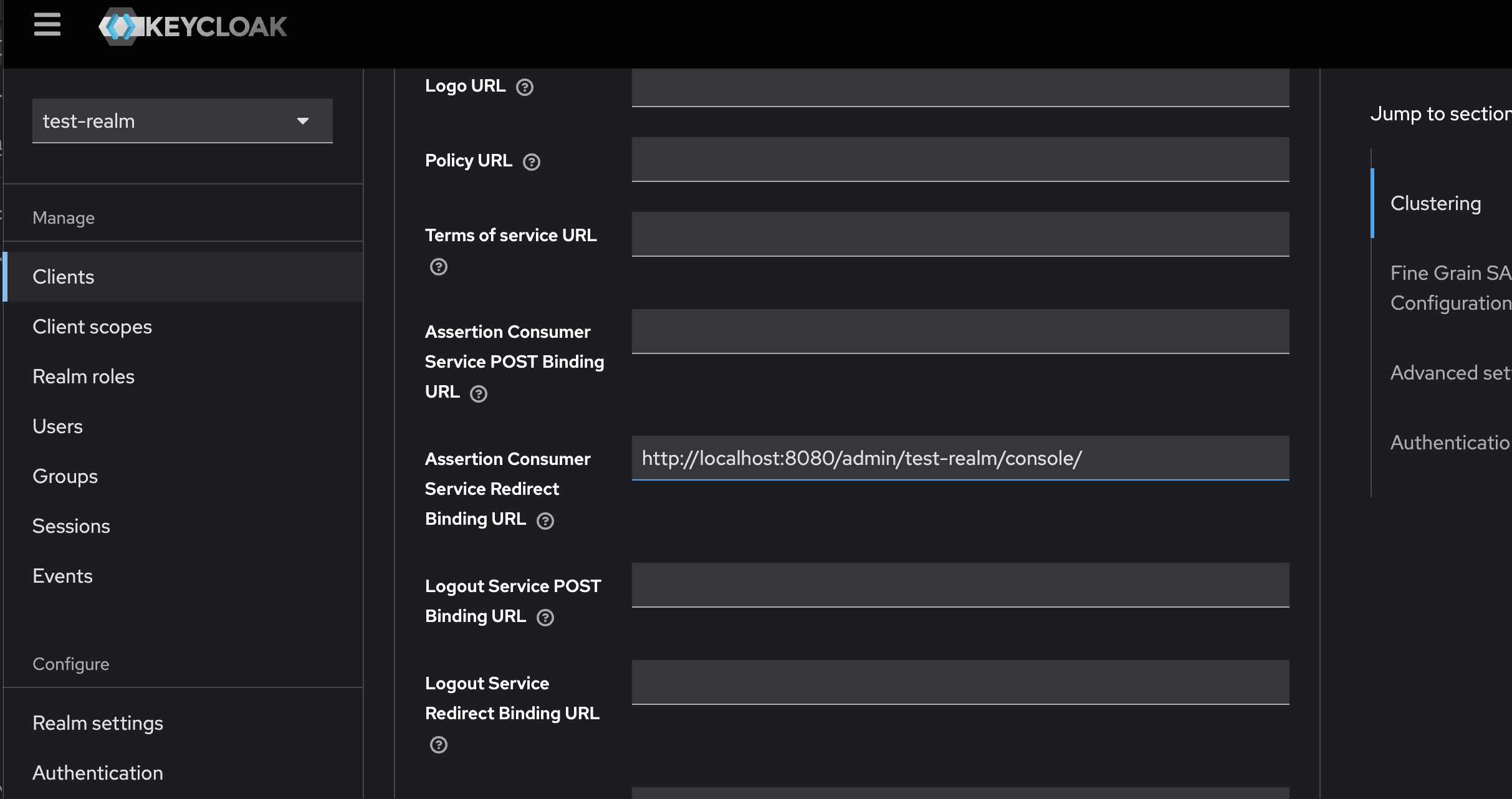
Do not forget to turn of the Force POST binding toggle in the SAML client general settings.
After doing all these configs we can proceed with the Testing phase. What we are going to observe is that Keycloak created a twin session in the security-admin-console client for our user.
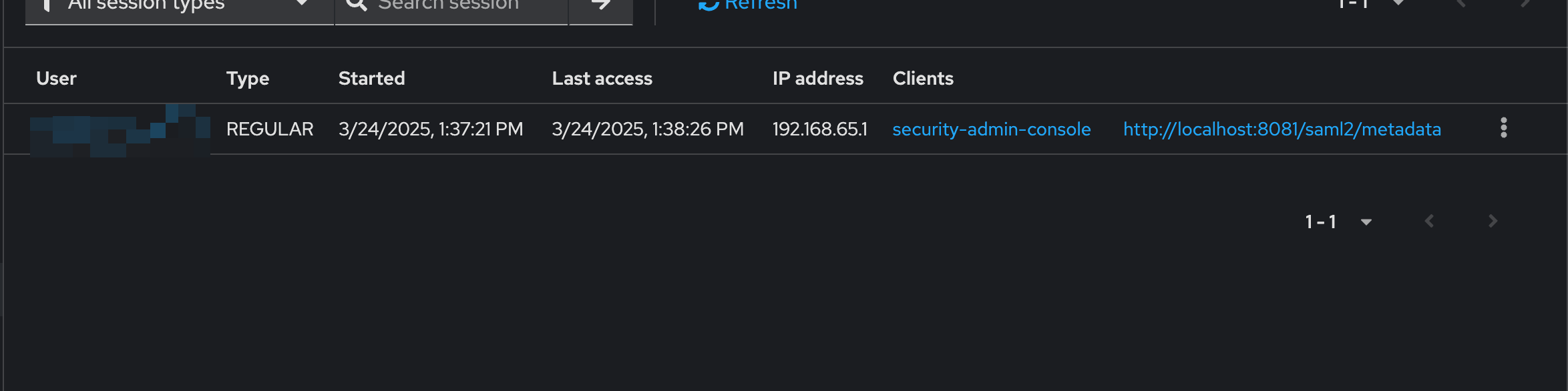
Behind this configuration stands one magic piece which ensure the flow is going to work, the 'Cookie' authenticator. It ensures that the session for any client we request is first looked up in the Keycloak cookie. If the Authenticator is turned of the flow will no longer work. Our advice is to not rely on this configuration if your application will not allow Keycloak cookies.
Conclusion
In this post, we explored the setup of an IdP-initiated flow with support for both SAML and OIDC applications. We also discussed some of the challenges associated with using the IdP-initiated flow and ways to address them.
We hope this has shed some light on the intricate world of Keycloak configuration and assisted you in finding a solution to your problems.
If you have any questions or would like to discuss this further, please feel free to reach out to us at sales@phasetwo.io. We are always happy to help and share our knowledge with the community.